I Built a Poor-Man's LMS Inside Claude that Actually Works
A practical setup that turns Claude into an interactive tutor that focuses on recall to embed knowledge.
Quick install Put both of these files in a Claude project and ask it for next steps.
Most people use AI the wrong way when they're trying to learn something. They ask questions, get answers, read through them, and feel like they're making progress. They're not. Reading is almost useless for retention. More on that later.
This is about a system I put together — called Learn Anything Quickly (LAQ) — that uses Claude Projects to function as a tutor. One that knows who you are, what you already know, and what you're trying to get to.
Here's how it works, and how to set it up.
The two-file setup
The system runs on two things:
An OS file — instructions that tell Claude how to behave across every conversation in the project. Think of it as a persistent personality and ruleset. You paste it once into Project Instructions and never touch it again.
A Brain File — a structured document about you and the subject you're learning. Your background, your goals, your current knowledge level, the specific domain. Claude reads this in every conversation and uses it to calibrate how it teaches you.
Together they turn a Claude Project into something closer to a knowledgeable friend rather than a generic AI dumping walls of text at you.
Setup takes about 5 minutes
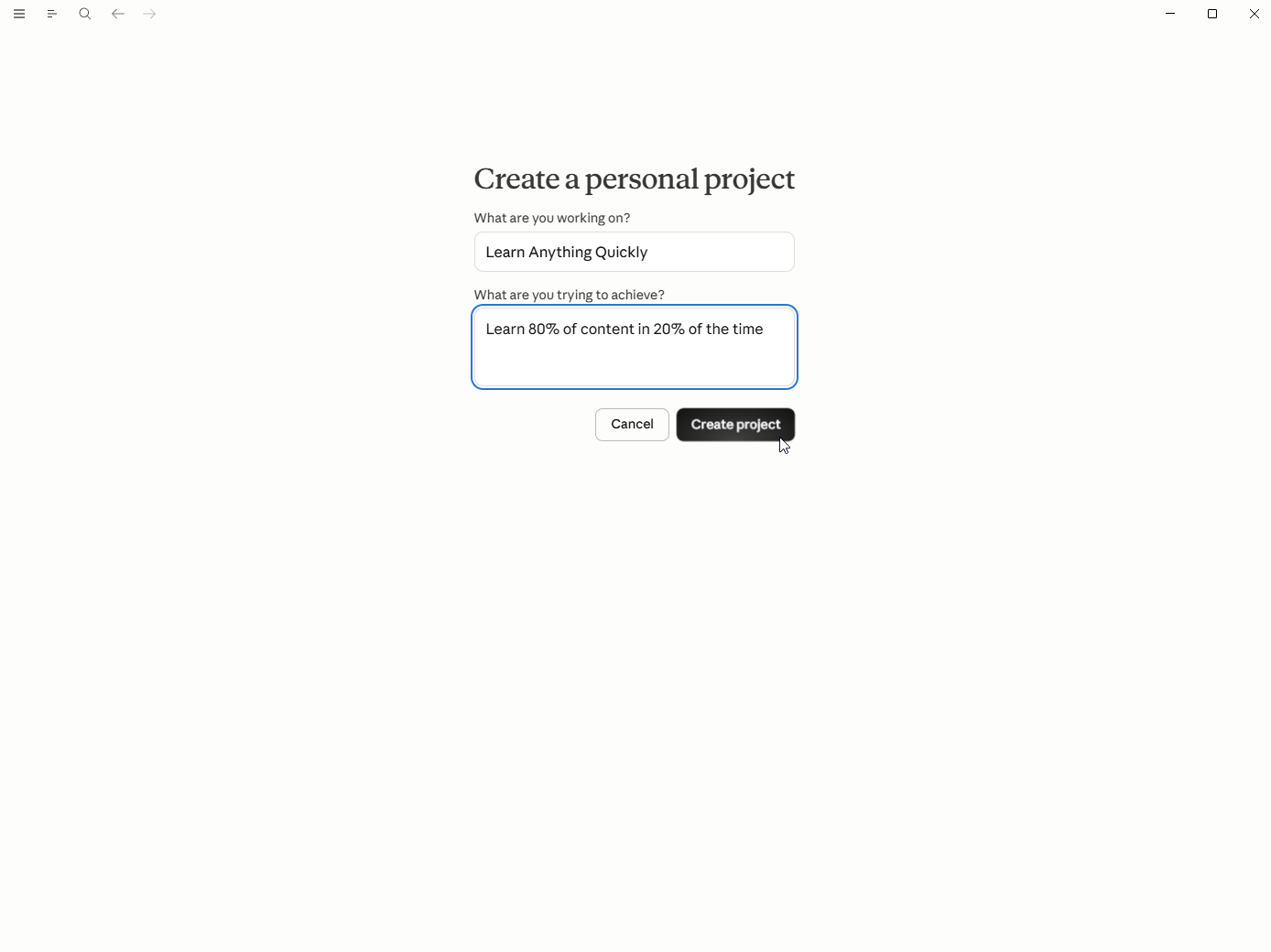
- Create a Claude Project. Go to Claude.ai → Projects → New Project. Name it after what you're learning. "Learn Contract Law", "Learn Godot", whatever.
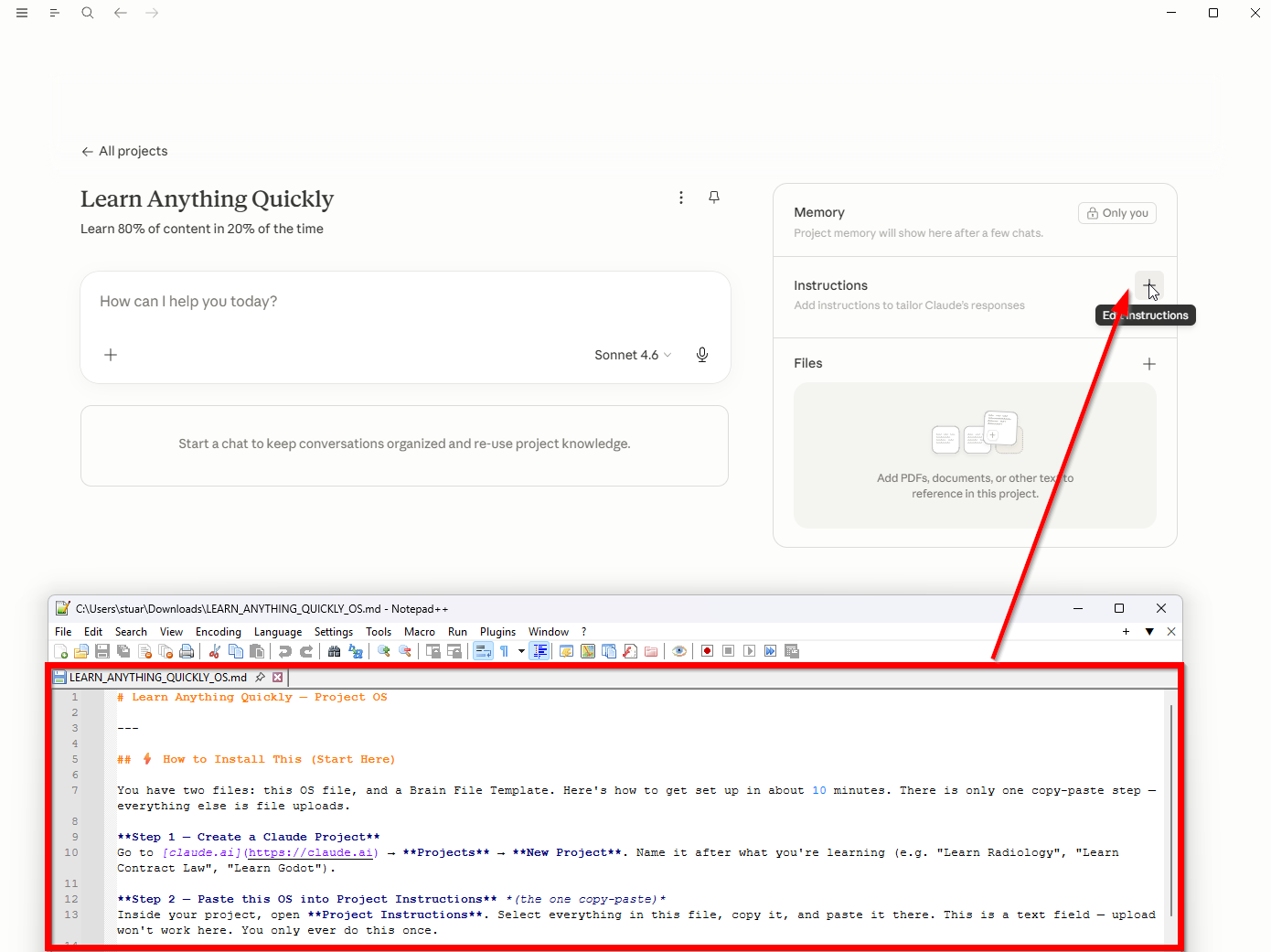
- Paste the OS into Project Instructions. Project Instructions is a text field inside the project. Paste the OS file there. Done. No need to edit this.
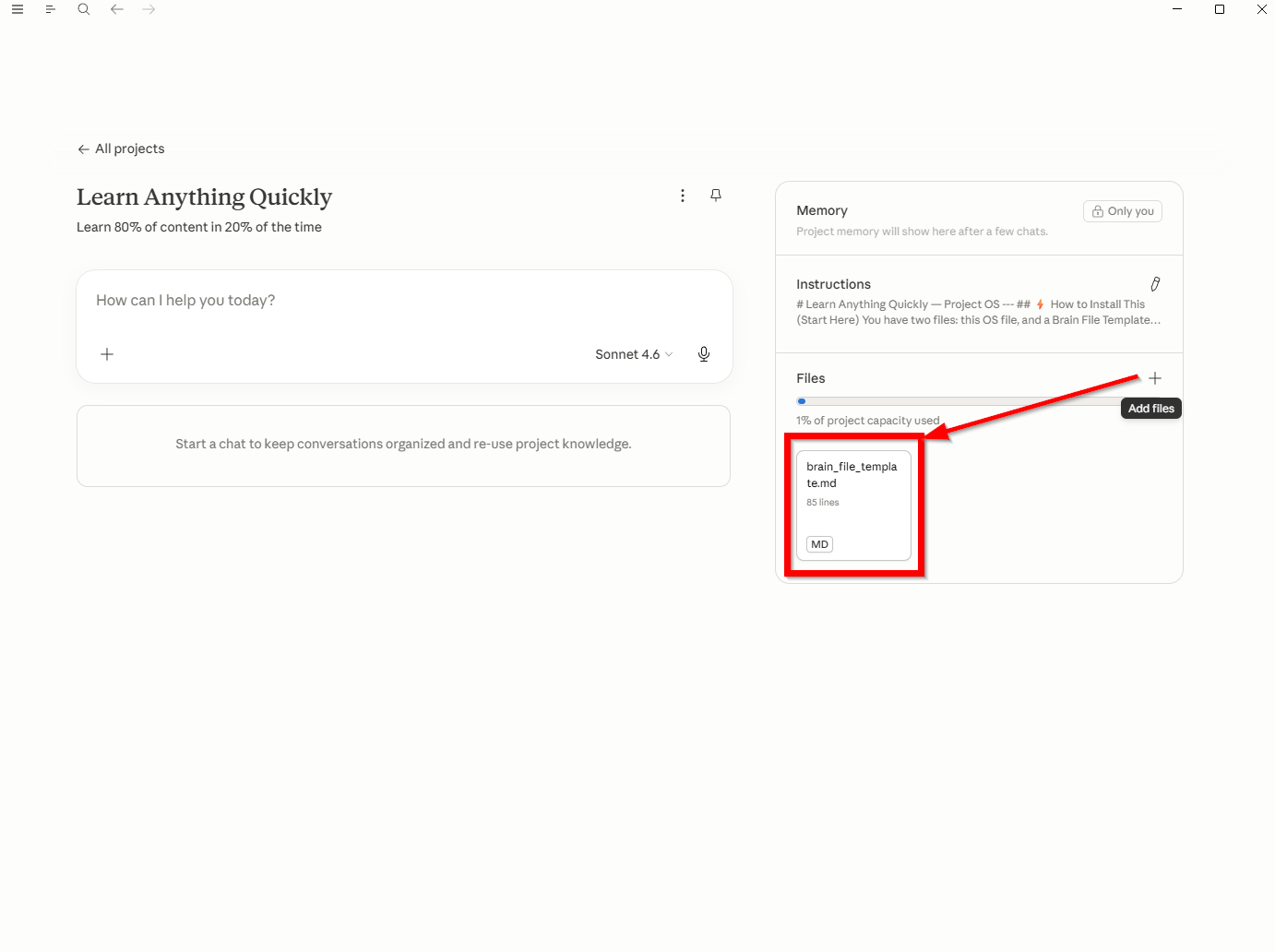
- Upload the Brain File Template to Project Files. Project Files is the attachment area — upload the template there. Claude can see everything in Project Files across every conversation automatically.
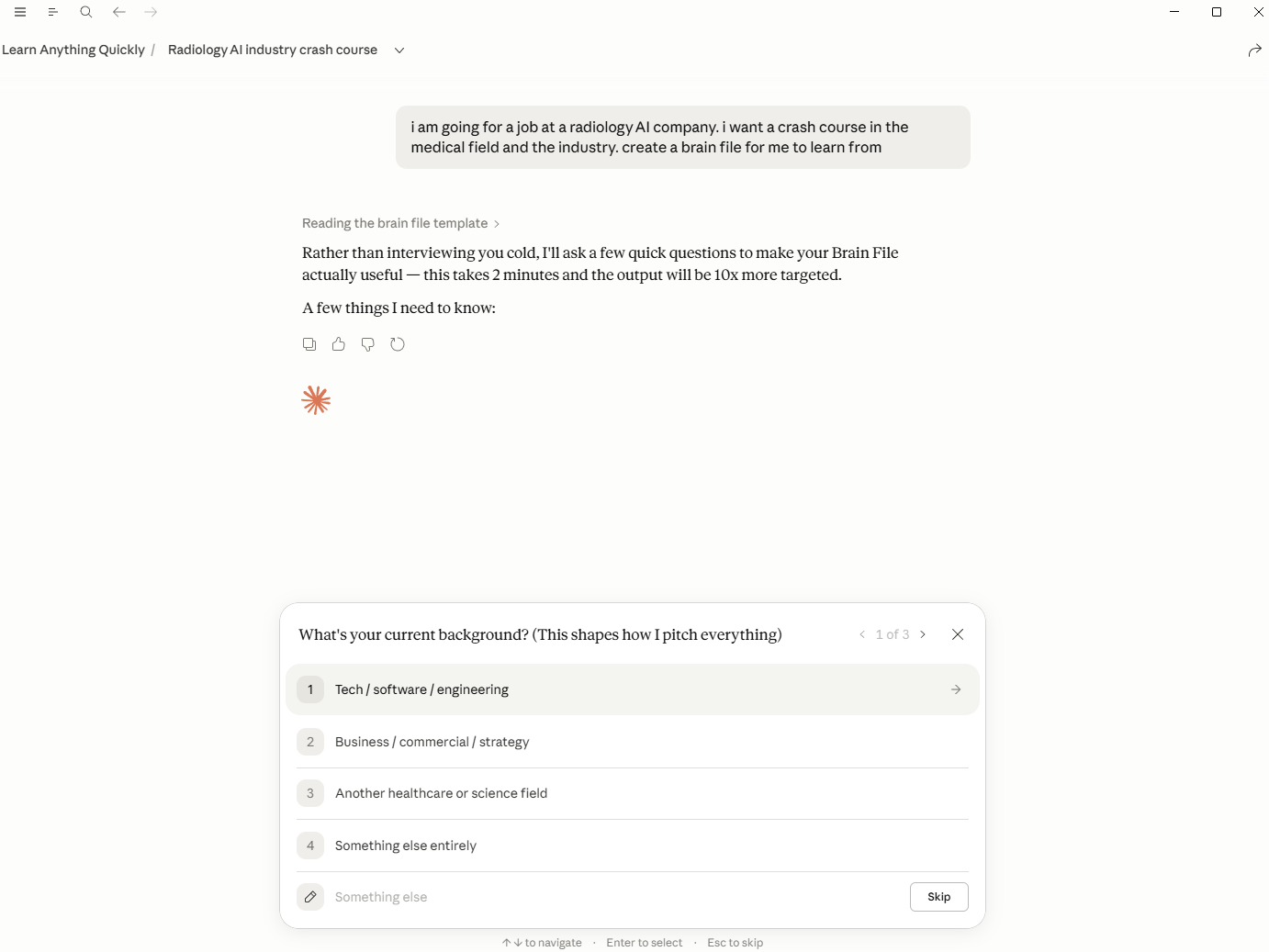
- Let Claude build your Brain File. Open a new chat inside the project and tell Claude what you want to learn and why. It'll take it from there.
"Please use the Brain File Template in the project files to interview me and build my Brain File. Go one section at a time, ask me your questions, then write the completed Brain File as a Markdown document I can save and upload."
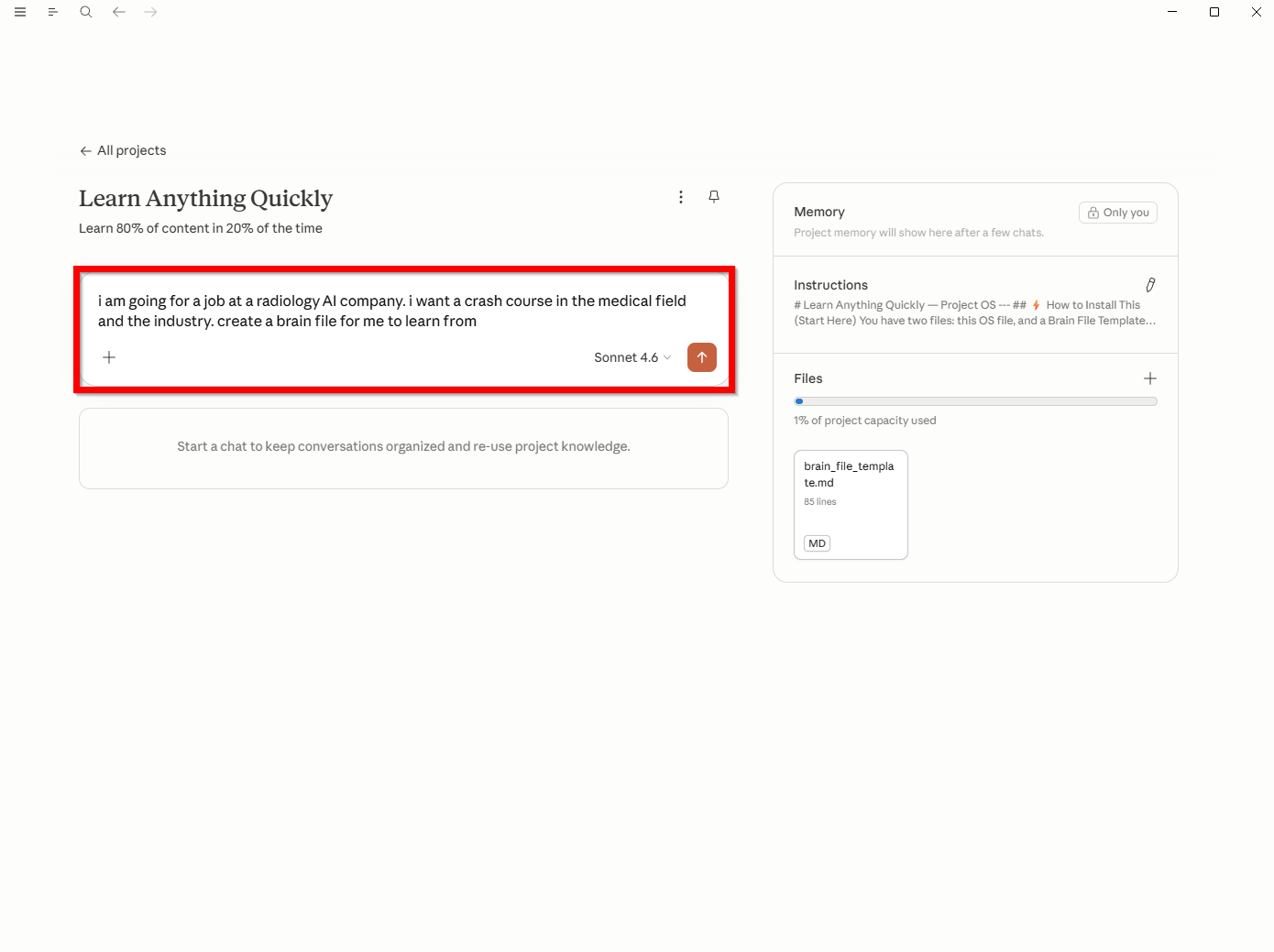
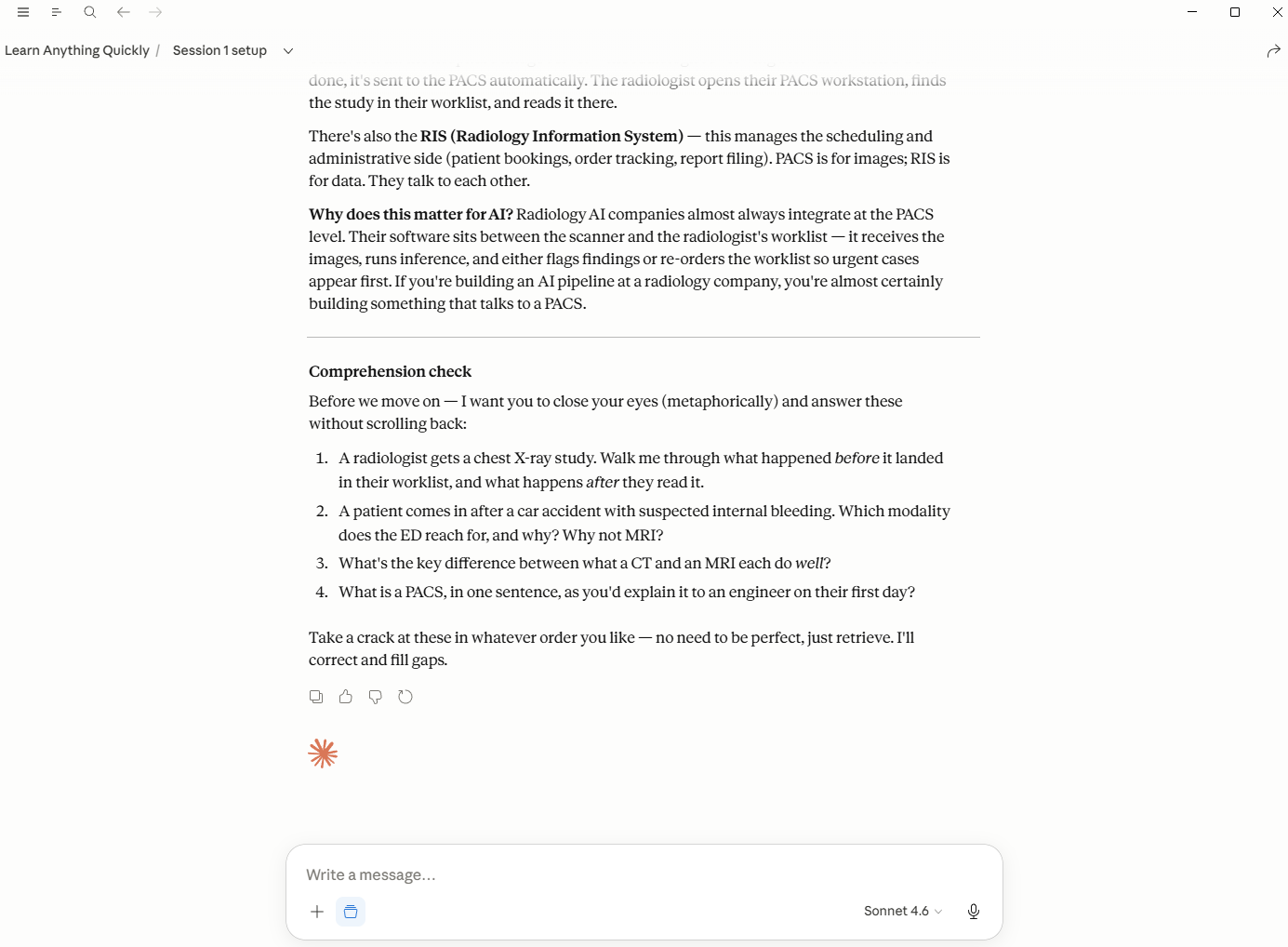
Claude interviews you with structured multiple-choice questions — background, goals, existing knowledge, time available. It takes about two minutes.
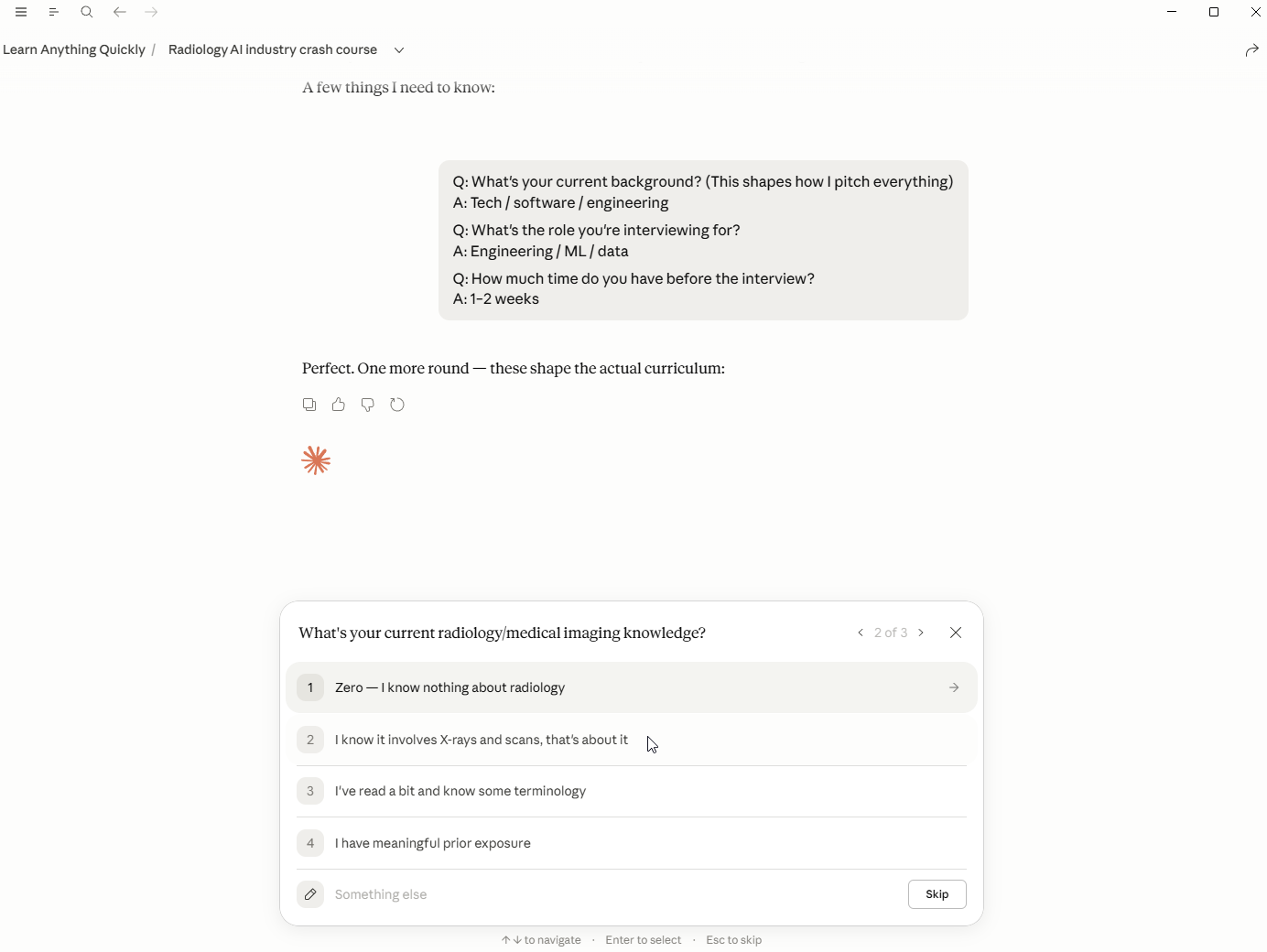
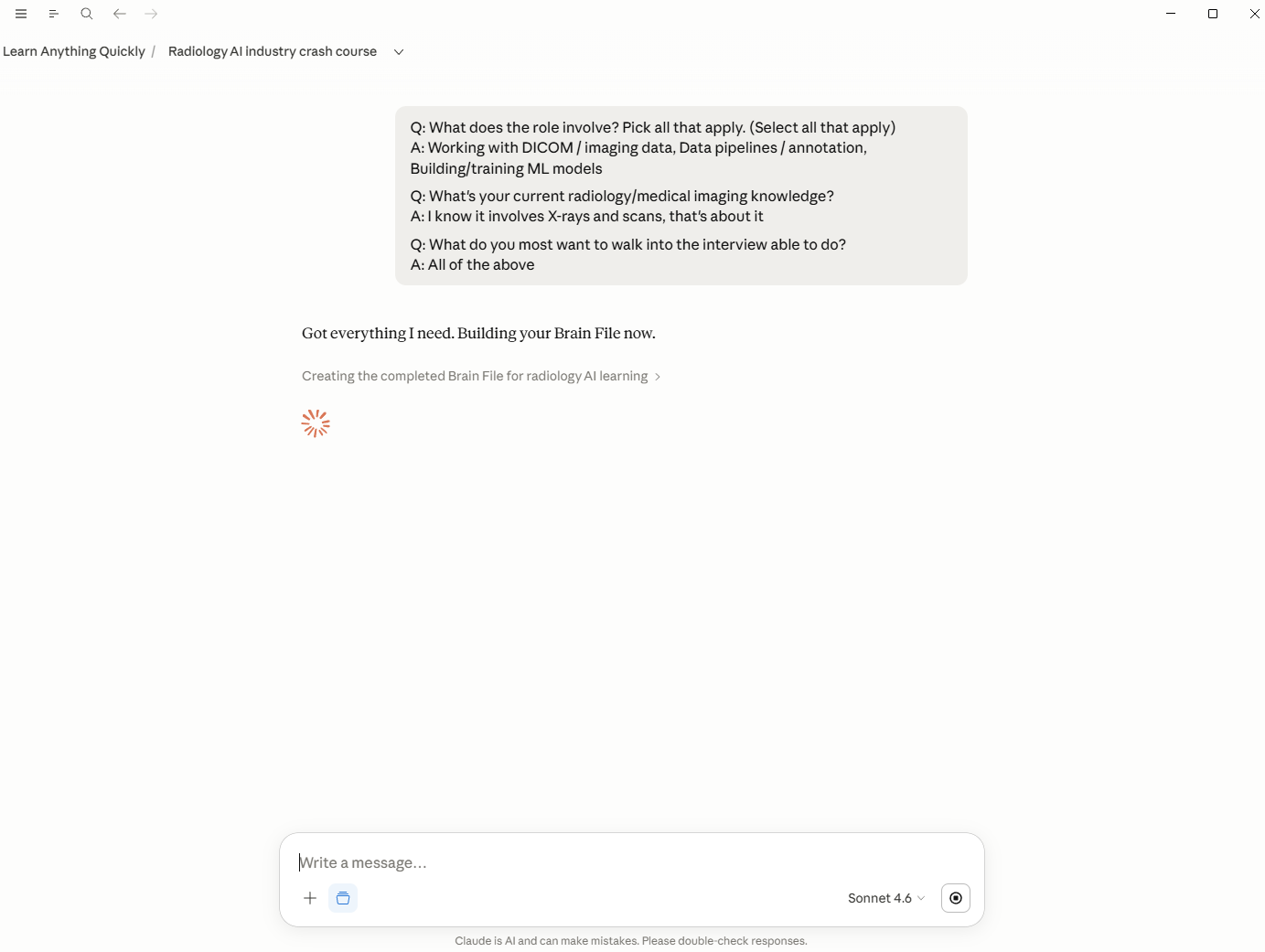
Save the output as brain-file-topic.md.
- Upload your Brain File. Drop
brain-file-topic.mdinto Project Files. You can remove the template at this point, or leave it for future topics.
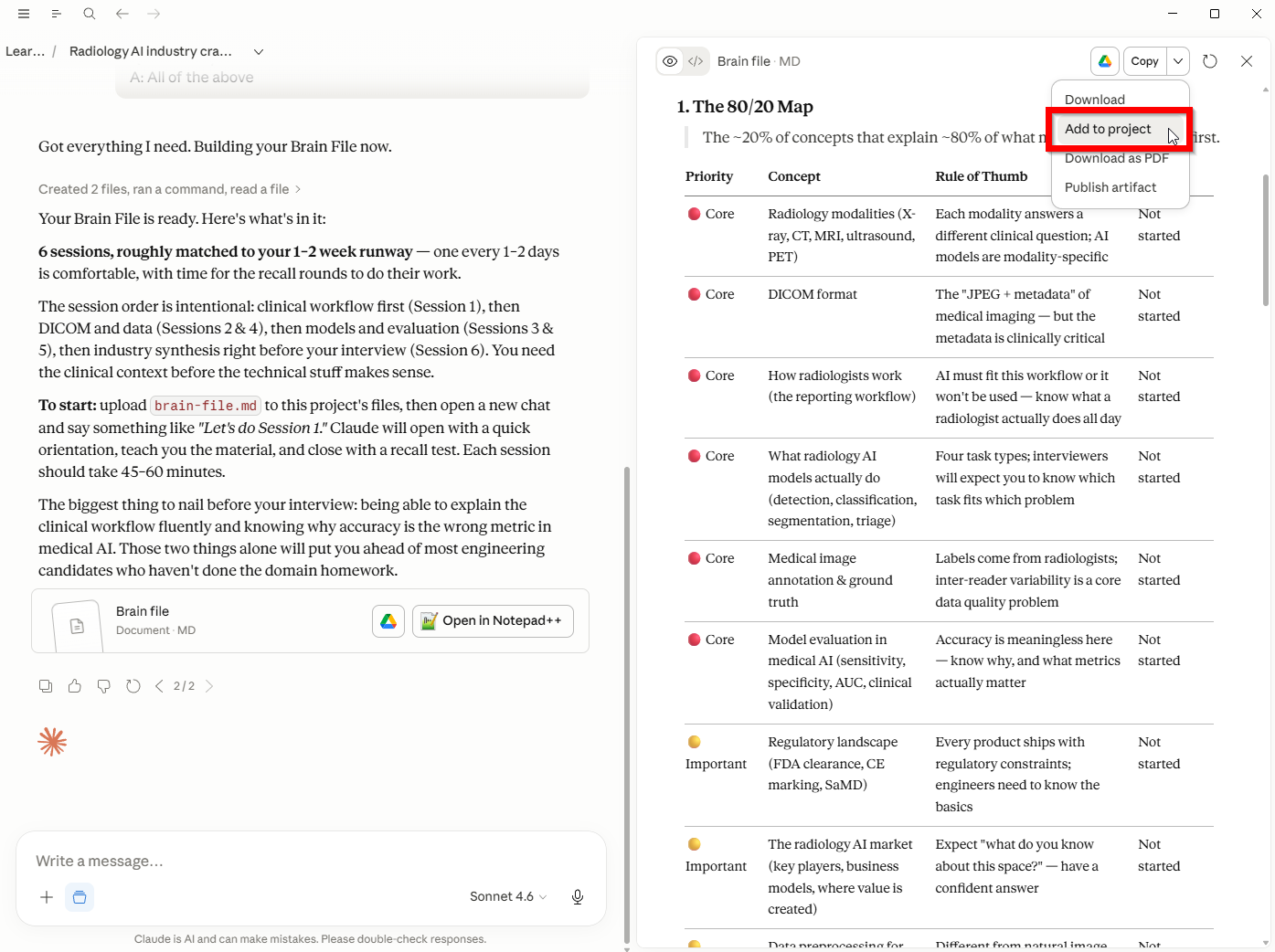
- Start learning. Open a new chat and start a new session. Claude now has everything it needs.
Why retrieval works
The system is built around one thing that actually works: retrieval practice.
The research here is pretty clear. When you force yourself to pull information out of memory — rather than reading it again — you remember significantly more of it weeks later (Rowland, 2014). The uncomfortable feeling of not quite remembering something and having to work for it sucks - but that's the mechanism that will make learning the answers stick.
Spaced repetition by design:
- Every session starts with a recall round. Before any new content, you retrieve what you covered last time.
- There's an 80/20 Map that forces you to prioritise the concepts that matter most, so you're drilling the right things, not everything equally.
- A Recall Queue tracks what's due so concepts get re-tested at the point they're most likely fading, keeping you sharp.
And because Claude knows your context from the Brain File, it can ask harder, more targeted questions than any flashcard app (sorry Anki). It knows what you already understand and where the gaps are.
How Claude behaves in the project
A few specific things the OS instructs Claude to do:
Explain before going deep. Orient first, then detail. Not the other way around.
Use your context. If your Brain File says you come from a finance background, Claude draws analogies to finance. If you're a nurse learning pharmacology, it anchors to clinical scenarios. Generic explanations are the last resort.
Anticipate gaps. Not just answering the question asked, but flagging what usually confuses people at this stage.
Check comprehension. Periodically offers to test you, or pushes you to go further.
Keeping the Brain File current
The Brain File goes stale if you don't update it. Every few weeks, revisit it and reflect where you actually are — not where you were when you started.
Easiest way: at the end of a session, ask Claude: "Based on what we covered today, what should I update in my Brain File?" It'll give you specific suggestions. Copy what's useful, update the file, re-upload.
What this isn't
It won't learn for you. You still have to engage, ask real questions, and do the retrieval practice honestly. The system just removes the friction and makes Claude significantly more useful than it would be out of the box.
If you try it, let me know how it goes — and what you're using it to learn.
Reference: Rowland, C.A. (2014) 'The effect of testing versus restudy on retention: A meta-analytic review of the testing effect', Psychological Bulletin, 140(6), pp. 1432-1463.